PanDoc puts scanning, editing, and AI-assisted document work on Android
PanDoc - PDF Scanner Editor, by TVGSOFT, turns an Android device into a mobile document office for capture, editing, and secure processing. The app scans documents into high-resolution PDFs, extracts editable text with OCR, and embeds an AI assistant for summarization and translation. Key capabilities include e-signatures, a universal converter for 15+ formats, and file management for merging and compressing. It targets business professionals, freelancers, and students who need fast mobile document workflows and wireless printing.
PanDoc acts as a single-device document hub for on-the-go professionals
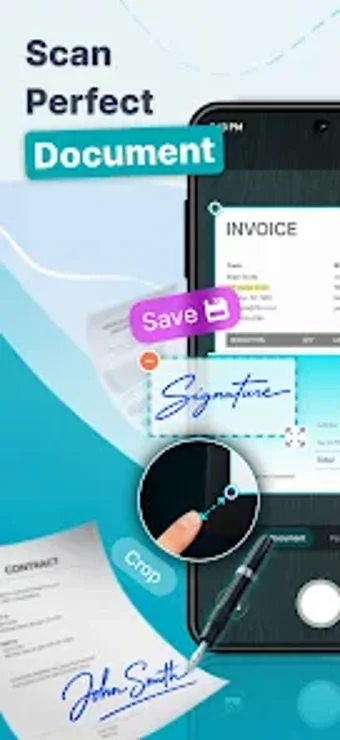
The app combines fast capture with post-capture tools to create publishable files from paper and images. It offers high-speed scanning with auto-edge detection and glare removal, plus OCR to produce searchable, editable PDFs. The built-in AI assistant, PanAI, provides summarization, translation, and a legal review option, which positions the app as more than a simple scanner for mobile document handling.
The app supports an end-to-end document-to-deliverable workflow
Workflows follow practical steps from capture to delivery: scan, run OCR to extract text, edit or annotate pages, then sign or fill forms. The app also merges, splits, and compresses PDFs, and converts files back and forth with Office formats, enabling delivery of invoices, lecture notes, or signed contracts without switching tools. A direct wireless printing feature covers layout, orientation, and page selection from the device.
Adoption favors privacy-conscious mobile users and experienced mobile teams
The app processes many operations entirely on-device, which keeps sensitive documents local and reduces cloud exposure. Availability on Android and iOS means teams can work from phones or tablets. The developer's portfolio of over 50 apps and a user base exceeding 5 million indicates experience in mobile utilities. PanAI's legal review aids decision-making, though automated analysis requires human verification for formal legal reliance.
Format support and output controls align with office interchange needs
The converter supports more than 15 file types and two-way exchanges with Word, Excel, and PowerPoint, which helps when sending deliverables to clients or colleagues. High-resolution capture preserves visual fidelity for printed proofs. E-signature and form-filling tools integrate with file management, so the app can complete common contract and administrative tasks without exporting to a second editor.
PanDoc suits mobile-first professionals who need document control, with a mobile-centric trade-off
PanDoc is a practical option for mobile-first professionals who need to capture, inspect, and finalize documents away from a desk. Its on-device processing supports privacy-focused workflows and single-device sign-off. Those who run large desktop batch migrations or require heavy enterprise integration should evaluate how the app fits into their existing desktop-centered systems before relying on it as the primary backend.